
Arduino IR Intervalometer
I had the opportunity to visit an area with very dark skies this past summer, and wanted to try taking a time lapse of the stars. My camera, a Sony NEX 5R, doesn’t have a time-lapse function, or connection for a shutter release, but it does have an IR receiver for a remote shutter release. I built an IR intervalometer, and was lucky enough to get some great footage.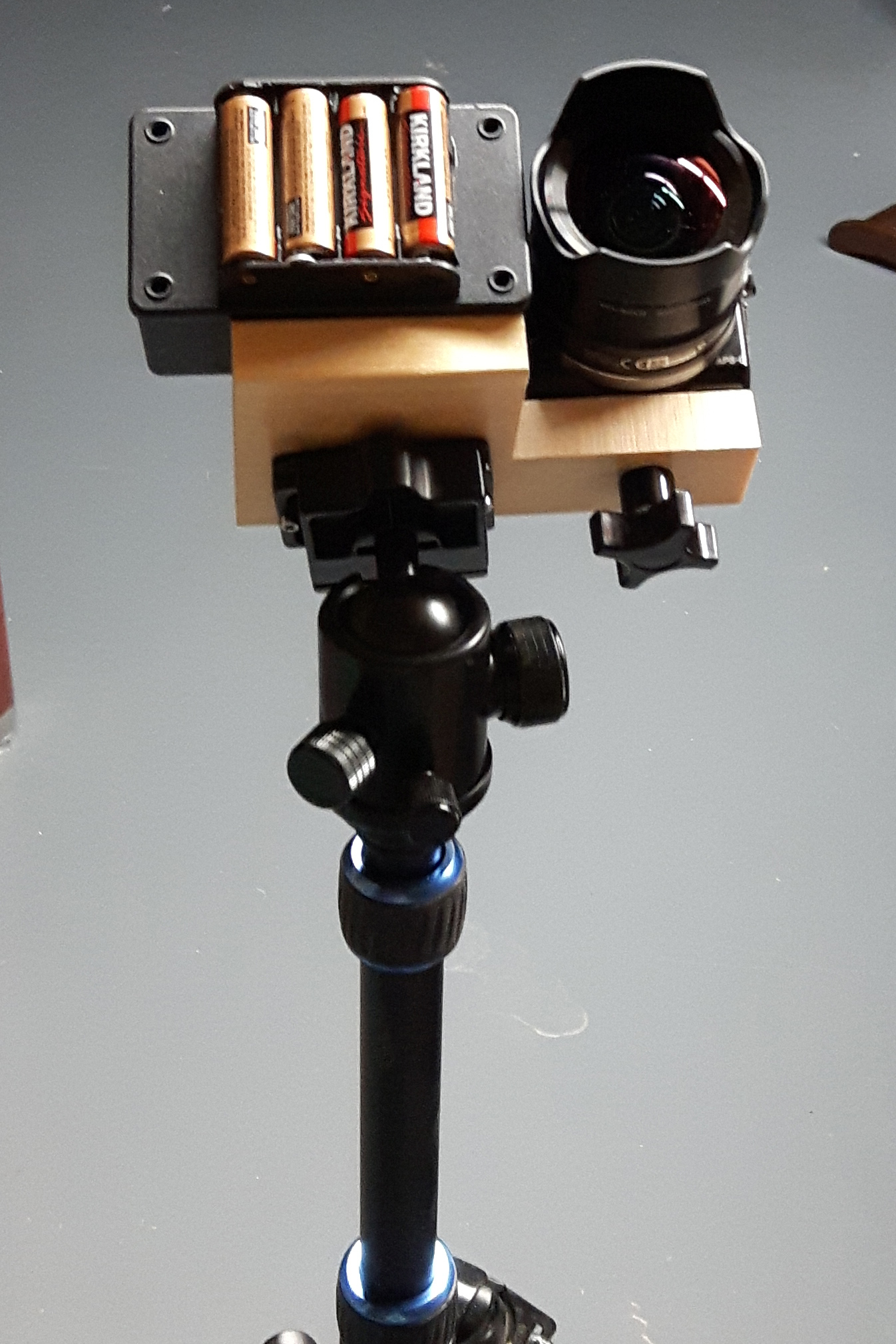
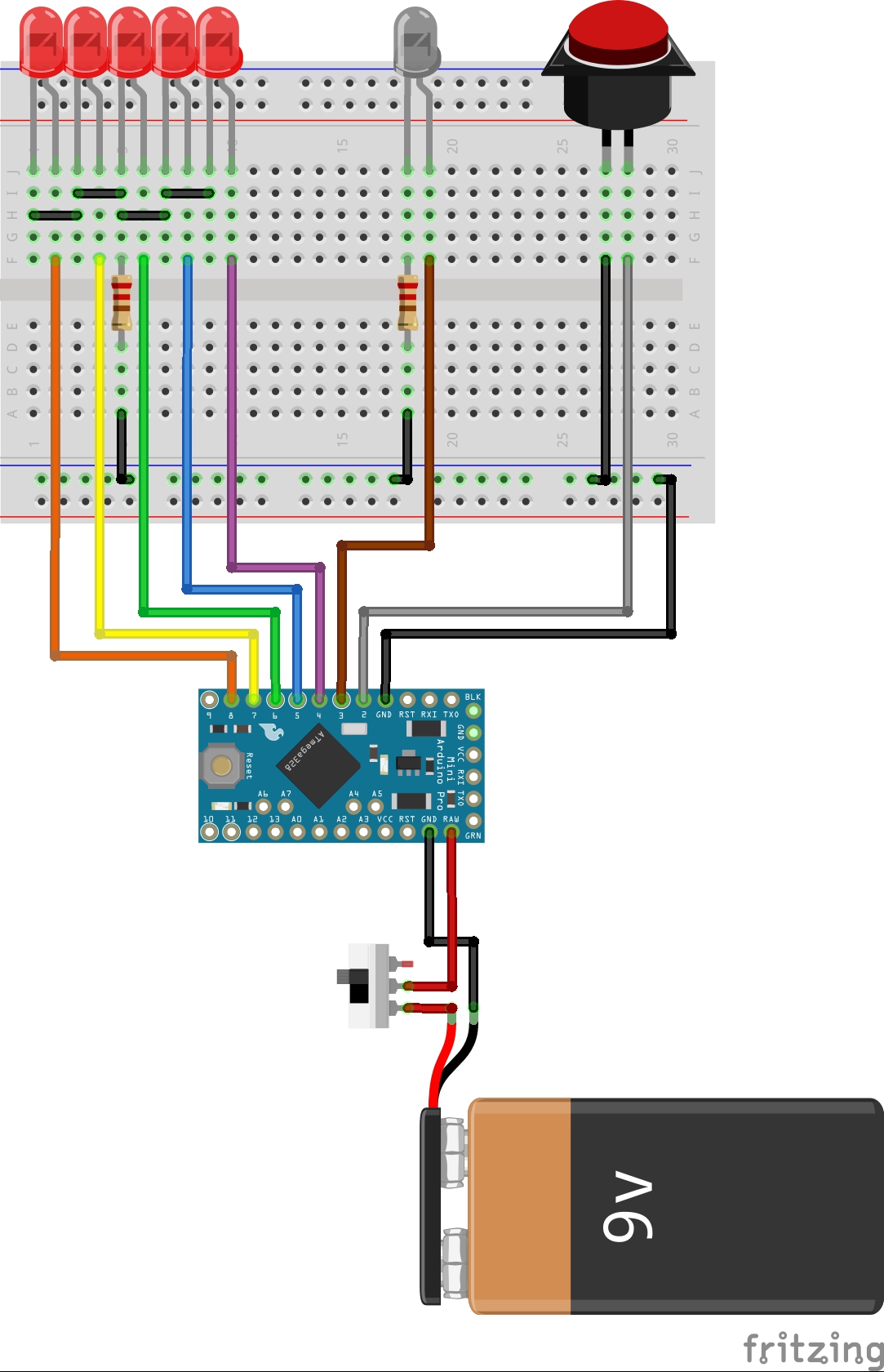
The circuit is very straightforward. I set up 5 pre-programmed intervals, and used a button to toggle between them, with LEDs to indicate the current setting. My original plan was to use a 9V battery, but the clip didn’t show up in time for my trip, so I used a 4x AA holder instead.
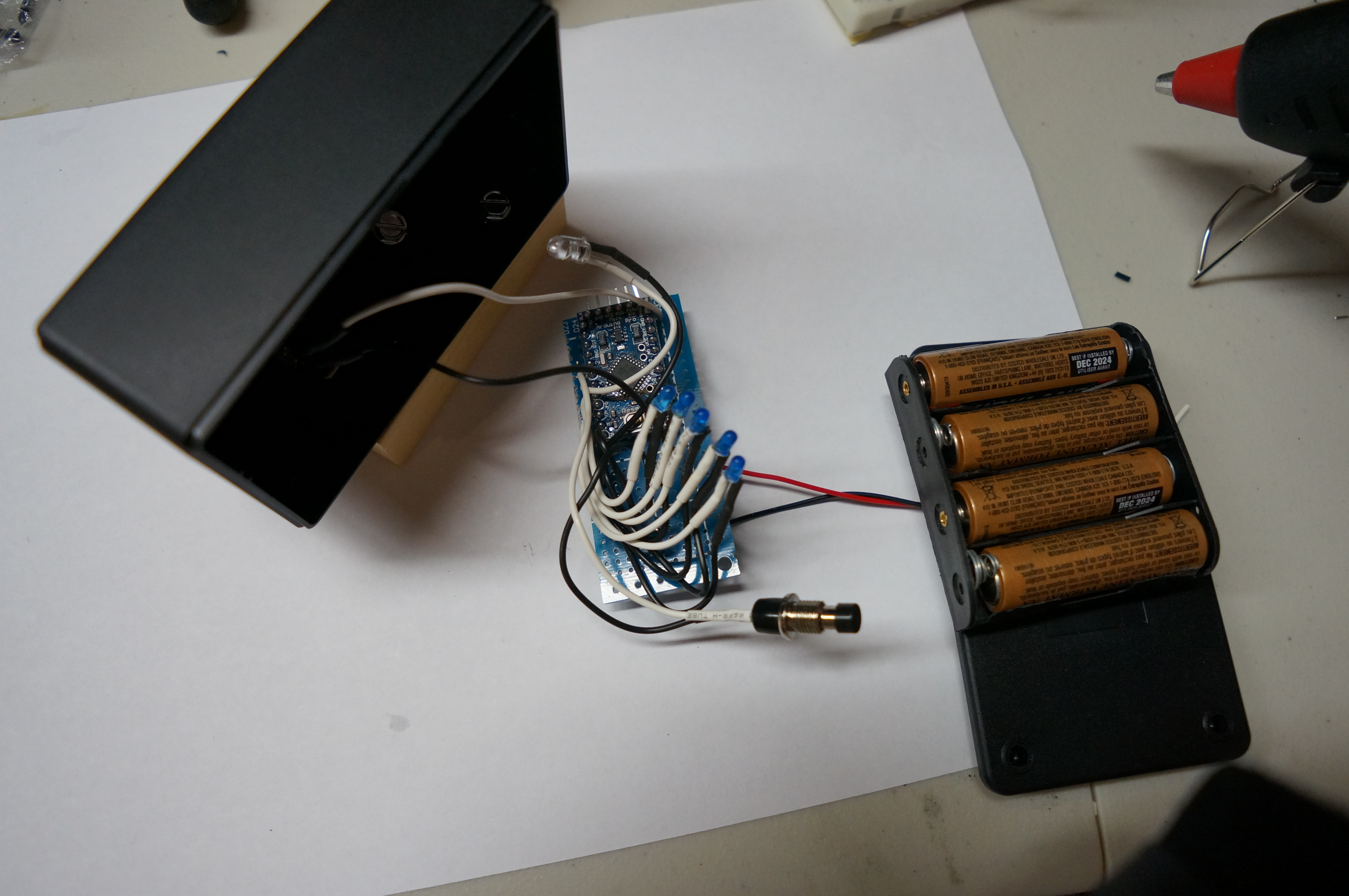
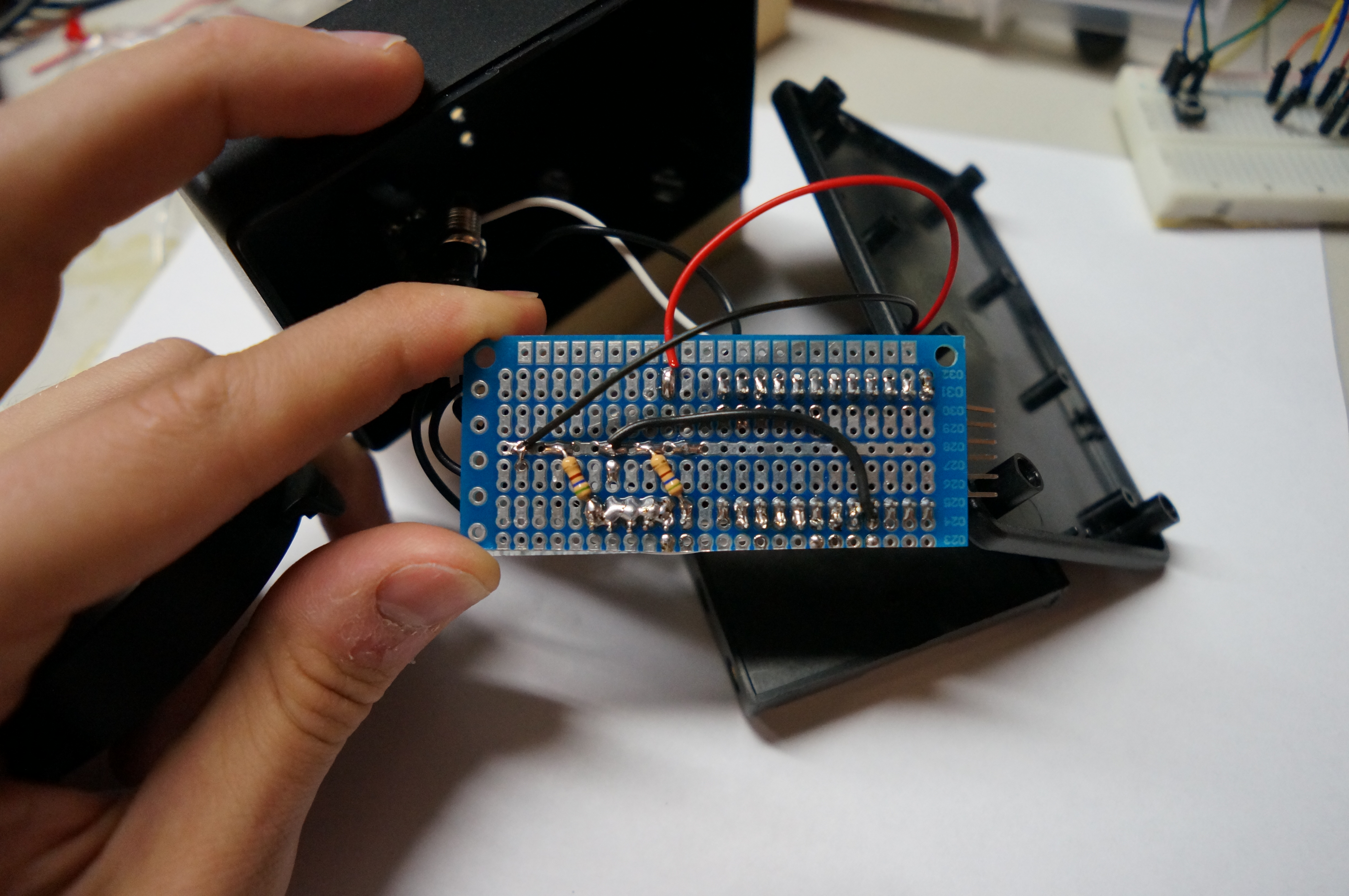
I wired everything together on a piece of strip board, and glued the LED’s into the project box using black hot glue from the inside. The IR LED was lined up to press against the IR receiver on the camera, and everything mounted to a piece of scrap wood with a 1/4-20 threaded insert to adapt the whole contraption to my tripod.
Here’s the Arduino code
/*******************************************
 *
 * Name.......:  Sony NEX 5R IR Intervalometer
 * Description:  Infrared Intervalometer for Sony NEX 5R
 * Author.....:  Kyle Twynam
 * Version....:  1.0
 * Date.......:  2016-05-30
 * Project....:  /arduino-ir-intervalometer/
 * This project relies on the multiCameraIRControl Library by Sebastian Setz
 * http://sebastian.setz.name/arduino/my-libraries/multi-Camera-IR-Control
 * License....:  This work is licensed under the Creative Commons Attribution-NonCommercial-ShareAlike 3.0 Unported License.
 *               To view a copy of this license, visit http://creativecommons.org/licenses/by-nc-sa/3.0/
 ********************************************/

#include <multiCameraIrControl.h>

//Attach pin 3 to IR LED through resistor.
Sony Nex(3);
const int BUTTON_PIN = 2;
const int BUTTON_PIN_INTERRUPT = 0;
unsigned long LAST_MILLIS = 0;


//Array of intervalometer intervals, in milliseconds, and corresponding array of indicator LEDs
const int INTERVAL_COUNT = 5;
const int INTERVAL[INTERVAL_COUNT]={10000,20000,30000,45000,60000};
const int LED[INTERVAL_COUNT]={4,5,6,7,8};


//Global variable used in interrupt service routine; indicates selected interval.
volatile int intervalSelect = 0;
volatile boolean intervalChange = false;
volatile boolean noDelay = false;

void setup(){

  for (int i=0; i<INTERVAL_COUNT; i++){
    pinMode(LED[i], OUTPUT);
    digitalWrite(LED[i], LOW);
    }

  //pin 2 should be connected to ground through the push button.
  pinMode(BUTTON_PIN, INPUT_PULLUP);

  //pin 2 is interrupt 0. button pulls pin low, thus detect LOW state.
  attachInterrupt(BUTTON_PIN_INTERRUPT, interval, LOW);
}

void interval(){
  if (noDelay == false){
    volatile int lastInterval = intervalSelect;
    intervalSelect = ((lastInterval + 1)%INTERVAL_COUNT);
    intervalChange = true;
    noDelay = true;
  }
}

void loop(){
if (intervalChange == true){
  detachInterrupt(BUTTON_PIN_INTERRUPT);
  digitalWrite(LED[intervalSelect], HIGH);
  delay(250);
  digitalWrite(LED[intervalSelect], LOW);
  noDelay = false;
  intervalChange = false;
  attachInterrupt(BUTTON_PIN_INTERRUPT, interval, LOW);
  }

  unsigned long currentMillis = millis();

if (currentMillis-LAST_MILLIS >= INTERVAL[intervalSelect]){
   detachInterrupt(BUTTON_PIN_INTERRUPT);
   LAST_MILLIS = currentMillis;
   Nex.shutterNow();
  attachInterrupt(BUTTON_PIN_INTERRUPT, interval, LOW);
  }
}